Enhance Your Designs with Wood 3D and High-Quality 3D Icons
In the world of graphic design, especially within UI/UX and web design landing pages, visual appeal is key. A well-designed interface can make the difference between a user engaging with your content or moving on. One powerful tool that designers are increasingly turning to is Wood 3D, a collection of high-quality 3D icons that bring a natural, organic feel to digital projects. Whether you're working on a website, app, or marketing material, these assets can elevate your work and add depth that static images simply can't achieve.
Designers often face challenges when trying to create visually rich interfaces without sacrificing performance or clarity. Many rely on flat design, which, while clean and modern, can sometimes feel lifeless. Incorporating 3D elements like Wood 3D offers a way to introduce texture, dimension, and realism without complicating the overall design. This makes it ideal for projects where subtle detail can enhance user experience without overwhelming the viewer.
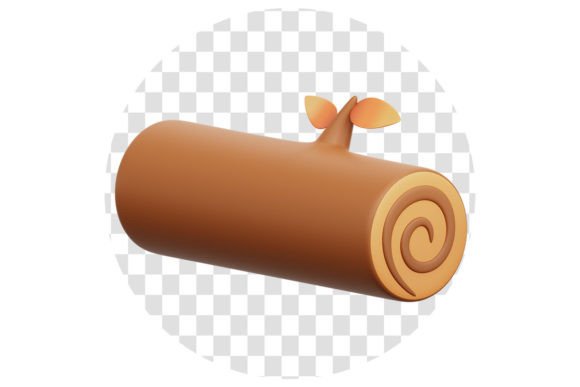
The Wood 3D collection stands out due to its high-quality render. Each icon is crafted at a resolution of 3000x3000 pixels, ensuring crisp details even when scaled up. This level of quality means that your designs will look professional and polished, no matter the platform or device they're viewed on. Whether you're designing for a mobile app or a large-scale landing page, the sharpness and clarity of these assets will support your vision.
Another major advantage of Wood 3D is the ease with which you can customize the color and texture. With tools like Blender, designers can quickly adjust the look of each icon to match their brand’s palette or project requirements. This flexibility allows for seamless integration into any design system, making it easier to maintain consistency across multiple assets or projects.
Each Wood 3D file comes with an organized layer structure, which simplifies the editing process. Instead of sifting through complex layers, you can easily access and modify specific parts of the icon. This organization saves time and reduces the risk of accidental changes, allowing you to focus on the creative aspects of your work rather than technical hurdles.
When you purchase Wood 3D, you receive a complete set of files, including the Blend File, PNG File, and PSD File. These formats provide versatility, enabling you to use the assets in different software environments. For instance, the Blend File is perfect for advanced users who want to tweak the 3D model further, while the PNG and PSD files are ideal for quick integration into graphic design workflows.
Practical applications for Wood 3D are vast. In UI design, these icons can be used as buttons, navigation elements, or decorative accents that add a touch of warmth and authenticity. For landing pages, they can serve as visual anchors that draw attention and guide the user’s eye through the content. Their realistic textures also make them suitable for e-commerce sites, where a sense of quality and craftsmanship can influence purchasing decisions.
Consider a scenario where a designer is working on a sustainable product landing page. Using Wood 3D icons could help convey the eco-friendly nature of the products by incorporating natural materials into the design. Similarly, a tech startup looking to stand out might use these icons to differentiate their interface from competitors, offering a unique aesthetic that feels both modern and grounded.
Users may approach Wood 3D differently based on their skill level and project needs. A beginner might focus on using the PNG and PSD files directly within their design software, while an experienced designer might dive into the Blender file to experiment with lighting, reflections, or animation. Regardless of the approach, the flexibility of these assets ensures that they can be adapted to suit a wide range of creative goals.
When selecting design resources, it's important to consider not just the visual appeal but also the usability and adaptability of the assets. Wood 3D excels in this regard, offering a balance between high-quality visuals and practical functionality. Its ready-to-use format means that you can start integrating it into your projects immediately, without the need for extensive setup or conversion.
Ultimately, Wood 3D is more than just a set of icons—it's a versatile tool that can enhance your design workflow and improve the overall quality of your work. Whether you're aiming for a minimalist look or a rich, textured interface, these assets provide the flexibility and detail needed to bring your vision to life. By incorporating Wood 3D into your toolkit, you’re not just adding graphics—you’re elevating your entire design strategy.